Fixtures and results
Fixtures appear on the Fixtures page (upcoming games and recent results), on each team's page and in any Fixtures embed block.
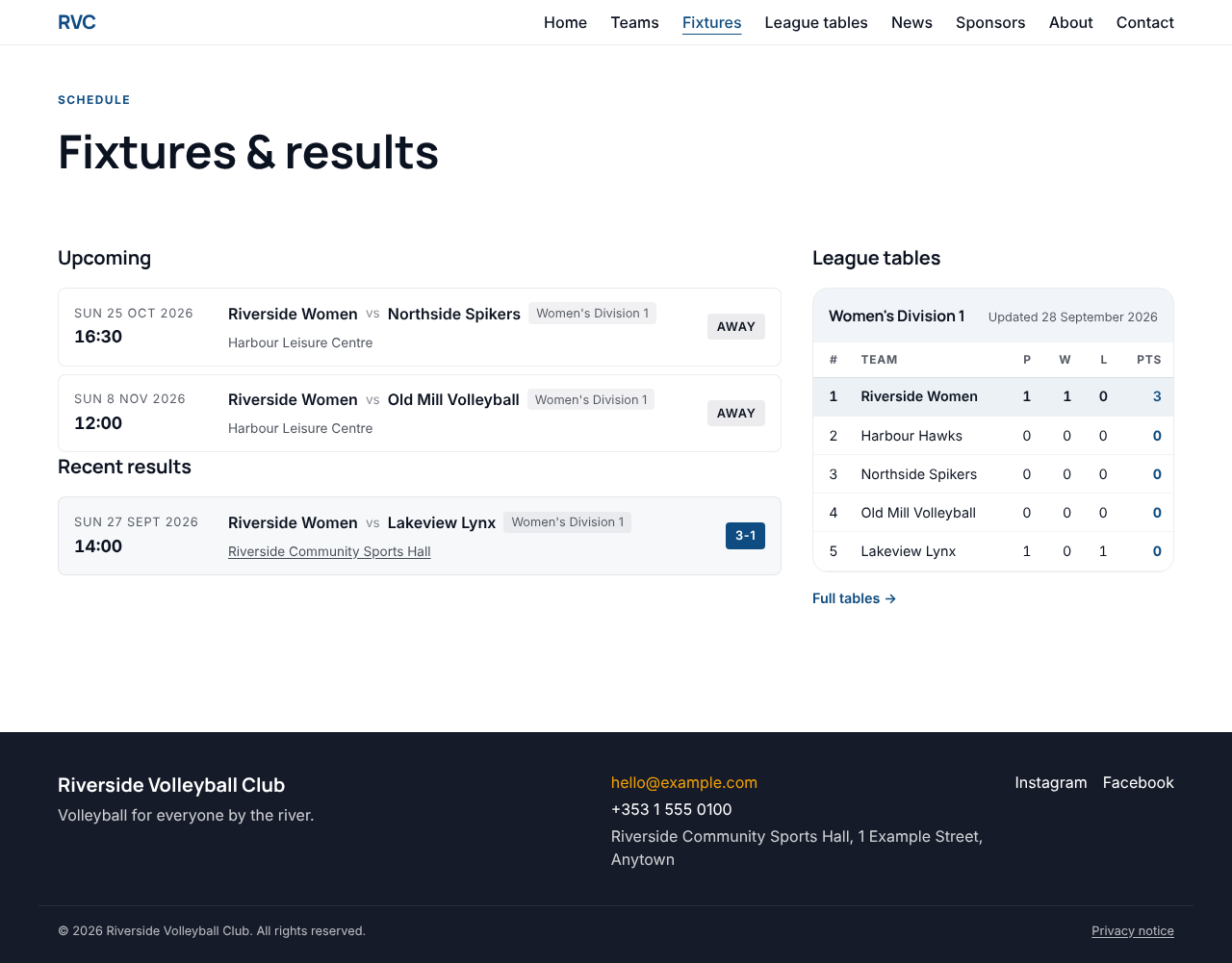
League fixtures usually arrive by themselves. If your club uses Fixtures & tables, league matches and results are imported and kept up to date for you, and you can't edit them by hand. Add fixtures yourself only for games the league doesn't run: friendlies, cups, tournaments, or a team whose league isn't imported.
Add a fixture
-
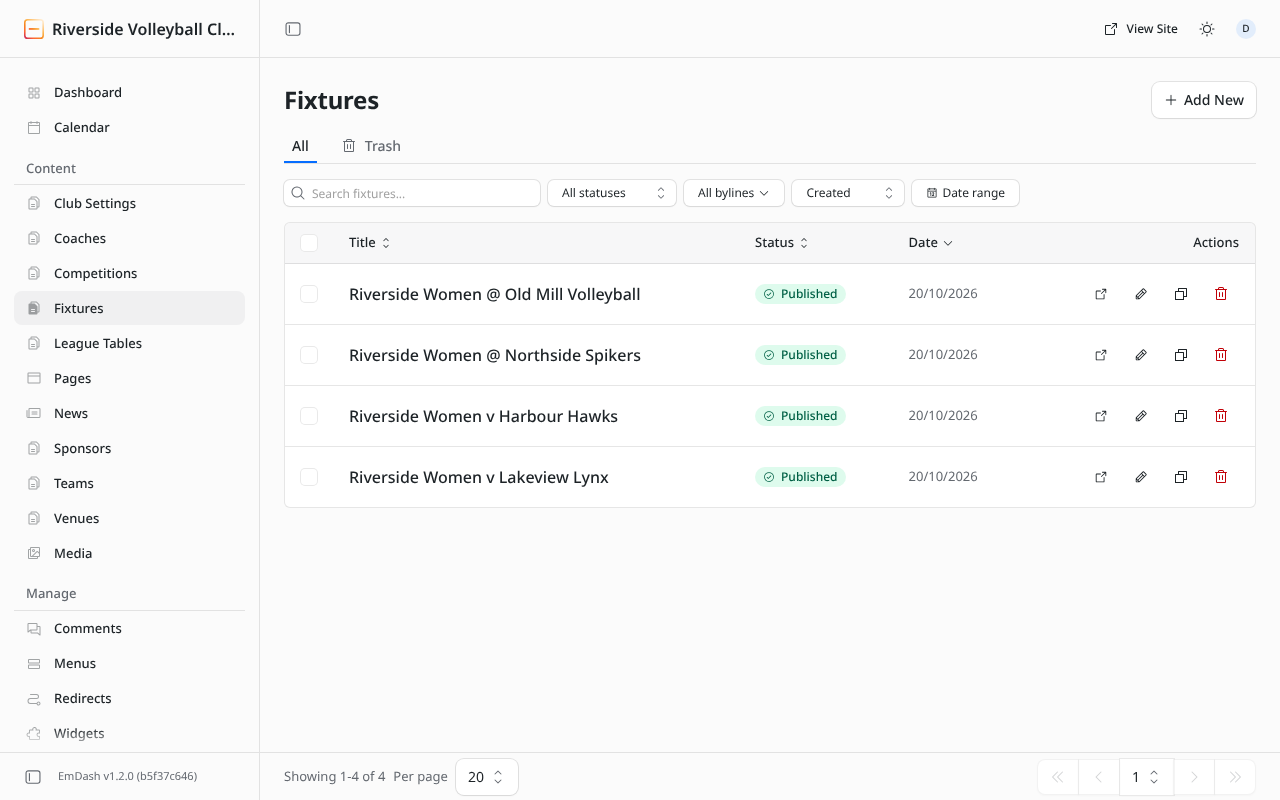
Fixtures → Add New (or + Fixture on the dashboard).
-
Fill in the fields:
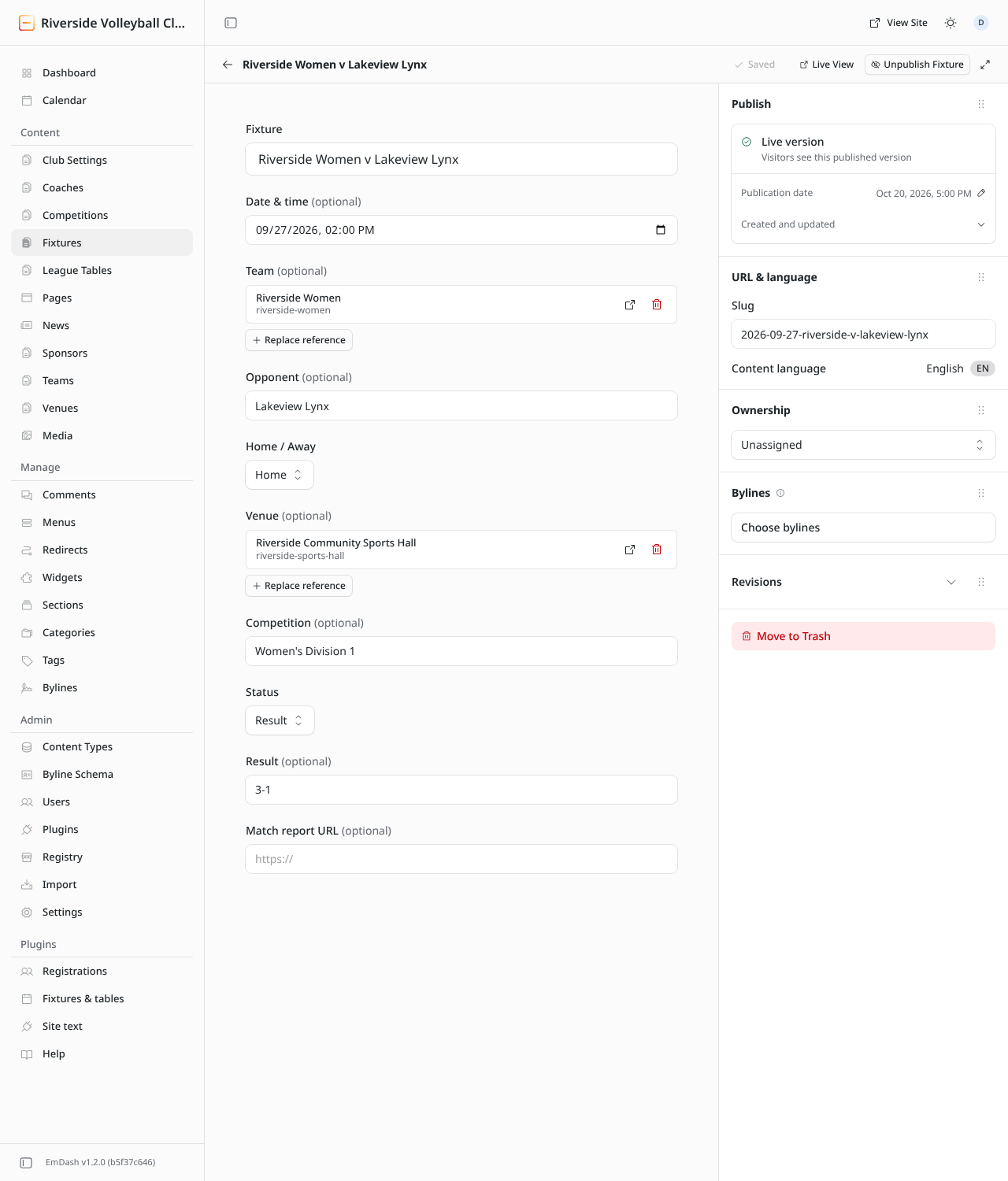
Field What to put in it Fixture A name for the admin list, e.g. "Riverside Women v Lakeview Lynx". Visitors don't see it. Date & time When the match starts. Team Your team. Opponent The other team's name, as you want it shown. Home / Away Shown as a badge on the fixture. Venue Pick from your venues. Competition E.g. "Women's Division 1" or "Friendly". Status Scheduled before the game, Result once it's played, Cancelled if it's off. Result The score in sets from your team's side, e.g. 3-1. Fill it in when you set Status to Result.Match report URL A link to a match report, e.g. a news post. Optional. -
Publish.
After the game
Open the fixture, set Status to Result, type the score into Result, and Publish changes. The fixture moves from "Upcoming" to "Recent results".
Postponed games
Change the Date & time and publish. For a game that won't be played, set Status to Cancelled: it stays on the list, marked cancelled.